Touch Typing 10-Key: Developing "Blind" Entry Skills
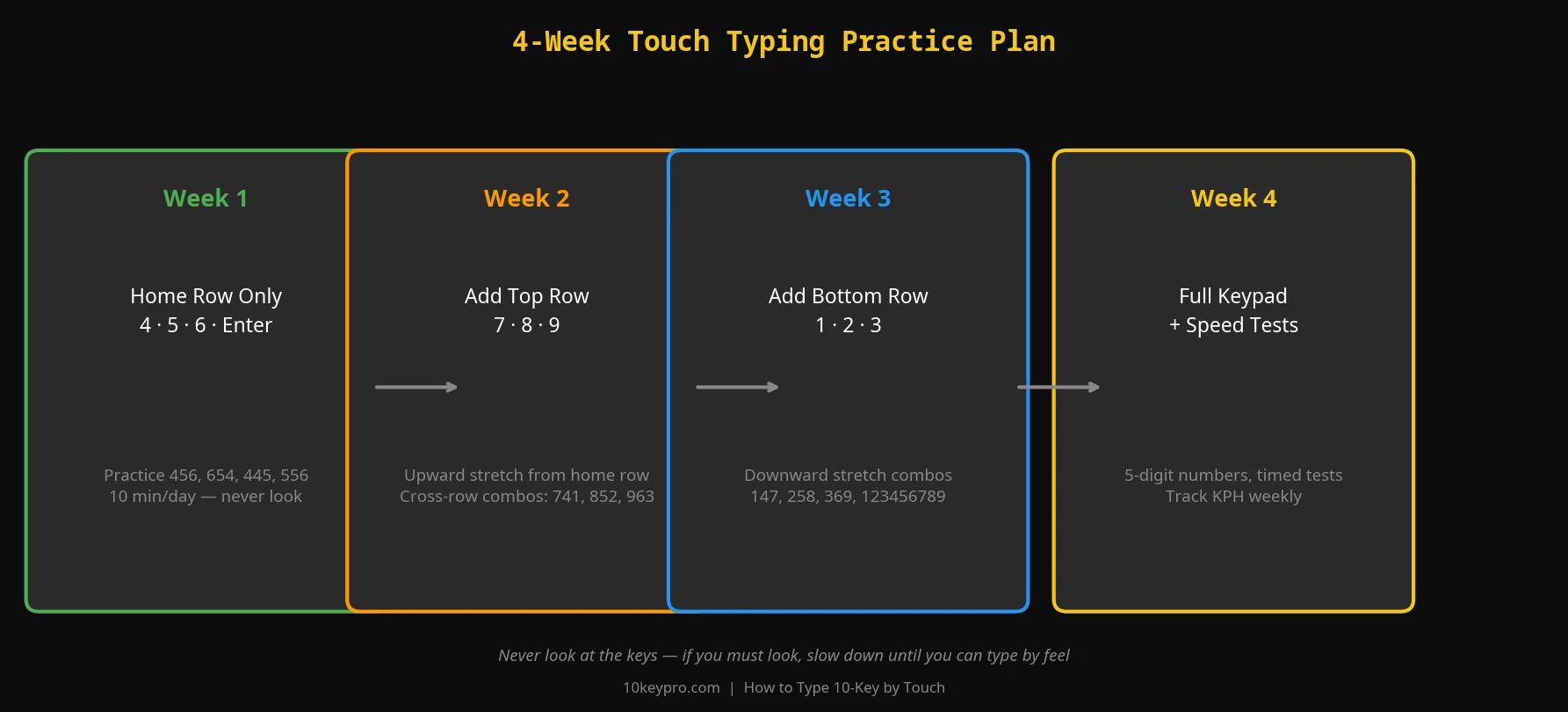
To type 10-key by touch, anchor your middle finger on the 5-key nub and build muscle memory for every key position relative to that anchor. Cover your hand with a cloth during practice to eliminate visual anchoring. Most people achieve consistent blind entry within 2-3 weeks of daily drills.

Touch typing is the ability to enter data while looking exclusively at the source document. If your eyes move to the keypad even once during a 1-minute test, your KPH will drop by 15–20%. Professional touch typing is built on proprioception — your brain's ability to know where your body is in space without visual confirmation.
"Administrative and data entry professionals who develop touch-entry proficiency — entering numeric data without visual confirmation of the keypad — demonstrate a measurable productivity advantage. Most federal and state agency employment assessments require 10-key touch entry at a minimum standard of 7,000 KPH."— U.S. Department of Labor, Workforce Assessment Reference
What does 10-key by touch mean in a job posting? It means the employer requires you to enter numeric data without looking down at the keypad — the same way touch typists type letters without watching the keyboard. A true 10-key by touch test will expose gaps in finger memory that looking at the keys masks. The 10KeyPro testing platform tracks whether input slows during number sequences that require hand repositioning, giving you real-time feedback on your touch entry weaknesses.
Last verified: August 2026 by the 10KeyPro Research Team
Mastering Anchor Points and the Claw Arch
Your hand should form a claw or arch over the keypad, with fingers curved and ready to drop vertically onto each key. If your fingers are too flat, you will accidentally brush adjacent keys and ghost keystrokes at high speed. Keep your middle finger mentally glued to the 5-key nub at all times — it is the center of your spatial map.
When you need to reach for the 7 or the 1, your hand should not move — only your index finger extends or retracts along its column. Every unnecessary hand shift costs you the time it takes to re-center on the anchor.
Three Exercises for Blind Entry
- The Cloth Technique: Place a small towel over your typing hand during drills. This physically removes the option to look, forcing your proprioceptive system to take over within minutes. Use this for the first 5 days of your touch-typing phase.
- The Screen-Only Drill: Fix your eyes on the numbers appearing on the screen rather than the source document. When you see an error, resist the urge to look down — try to feel which finger made the mistake and correct the anchor before continuing.
- The Audio Drill: Have someone read numbers aloud while you enter them. This forces you to process numeric data through your auditory system and translate it directly to your fingers with zero visual aid. It is the highest-difficulty method and produces the most durable touch-typing habit.